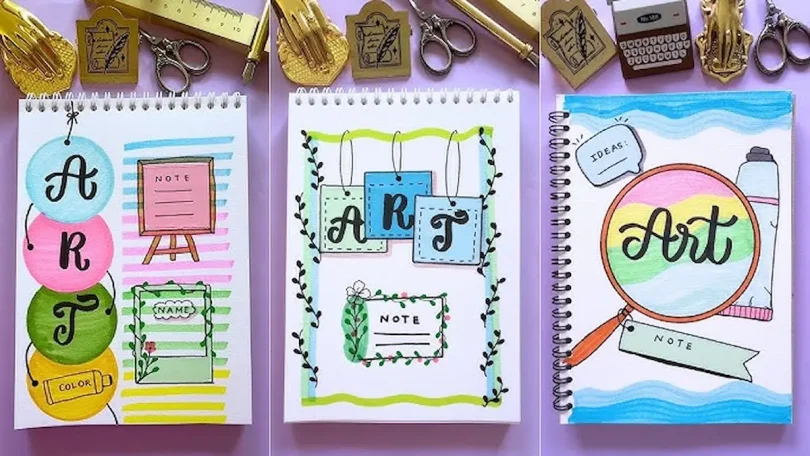

If you’re just starting out, exploring creative design ideas for beginners might feel confusing at first—but trust me, it’s much easier (and more fun) than it looks. You don’t need to be a professional artist or have expensive tools. All you need is a little curiosity, some practice, and the willingness to try new things.
In this detailed guide, I’ll walk you through everything step by step, just like I would explain it to a friend who’s starting from zero.
What is Creative Design?
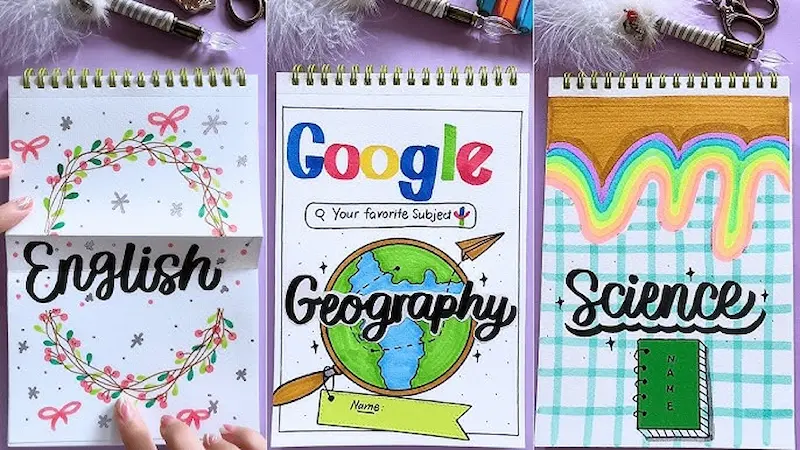
Creative design is all about expressing ideas visually. It can be anything from:
- Social media graphics
- Posters
- Logos
- Website layouts
- Digital art
As a beginner, your goal is not perfection—it’s learning how to think creatively and visually.
Why Creative Design is Important for Beginners
Learning creative design gives you powerful skills like:
- Visual communication
- Creativity and imagination
- Problem-solving
- Personal branding opportunities
Plus, it can turn into a freelance skill or even a full-time career.
Best Creative Design Ideas for Beginners (Step-by-Step)
Let’s explore the most effective and beginner-friendly ideas in detail.
1. Start with Social Media Graphics
This is one of the easiest creative design ideas for beginners.
What to Create:
- Quote posts
- Instagram stories
- Promotional posts
- Personal aesthetic posts
How to Start:
Pick a simple quote and design it using:
- A clean background
- One or two fonts
- A small icon or image
What You Learn:
- Text alignment
- Color balance
- Layout basics
You may also like it:
Modern Graphic Design Ideas For Beginners and Experts
Top Logo Design Tools Review: Best Logo Makers For 2026
Basic Design Principles Explained Simply for Beginners Guide
Cheap Graphic Design Tools Deals: Top Picks for Designers
2. Learn Poster Design from Scratch
Poster design helps you understand composition and visual hierarchy.
Beginner Practice Ideas:
- Event posters (concert, seminar, sale)
- Movie posters
- Awareness posters
Key Tips:
- Use a big, bold heading
- Add a focal image
- Keep text limited
What You Learn:
- Visual hierarchy
- Spacing
- Attention-grabbing layouts
3. Try Simple Logo Design
Logo design builds your creativity and thinking skills.
Beginner Ideas:
- Design your name logo
- Create initials-based logos
- Use simple icons
Golden Rules:
- Keep it simple
- Make it memorable
- Avoid too many colors
What You Learn:
- Branding basics
- Simplicity in design
- Shape and balance
4. Explore Typography Design
Typography is the art of arranging text creatively.
Practice Ideas:
- Text-only posters
- Name designs
- Motivational typography
Beginner Tips:
- Use only 2 fonts
- Play with size and spacing
- Try bold + thin font combinations
What You Learn:
- Font pairing
- Readability
- Creative text styling
5. Master Color Combinations
Color can make or break your design.
Beginner Exercises:
- Pick 2–3 colors only
- Try light vs dark combinations
- Use contrast to highlight elements
Example:
- Black + White + Yellow
- Blue + Grey + White
What You Learn:
- Color harmony
- Mood creation
- Visual impact
6. Create a Mini Brand Project
This is one of the most powerful creative design ideas for beginners.
Example Project:
Create a brand for:
- A coffee shop
- A skincare brand
- A clothing line
Design:
- Logo
- Instagram post
- Packaging idea
What You Learn:
- Real-world design thinking
- Brand consistency
- Creative storytelling
7. Design YouTube Thumbnails & Banners
These designs require attention-grabbing skills.
What to Focus On:
- Big bold text
- Bright colors
- Clear subject
Practice Ideas:
- Thumbnail for a vlog
- Gaming thumbnail
- Tutorial banner
What You Learn:
- Visual attraction
- Click-worthy designs
- Composition
8. Practice Photo Editing
Photo editing is a great starting point.
Basic Edits:
- Brightness & contrast
- Saturation
- Cropping
Advanced Beginner:
- Background blur
- Color grading
- Filters
What You Learn:
- Image enhancement
- Mood setting
- Detail focus
9. Try Minimalist Design Style
Minimal design teaches clarity and balance.
Practice Ideas:
- Clean posters
- Simple Instagram posts
- Black-and-white layouts
Rules:
- Use fewer elements
- Add more white space
- Keep it clean
What You Learn:
- Simplicity
- Balance
- Professional look
10. Join Daily Design Challenges
Consistency is the secret to improvement.
Challenge Ideas:
- 1 design per day
- Recreate trending designs
- Try a new style every week
Benefits:
- Faster learning
- Creative growth
- Confidence building
Best Tools for Beginners
You don’t need expensive software to begin.
Beginner-Friendly Tools:
- Canva – Easy drag-and-drop
- Figma – Great for layouts and UI
- Adobe Photoshop – Advanced editing
Start simple, then move to advanced tools as you improve.
Important Design Principles You Must Know
Even beginners should understand these basics:
1. Alignment
Everything should look organized and connected.
2. Contrast
Use light vs dark or big vs small to highlight elements.
3. Repetition
Repeat colors, fonts, or styles for consistency.
4. White Space
Don’t overcrowd your design—space is important.
Common Mistakes Beginners Make
Avoid these to improve faster:
- Using too many fonts
- Adding too many colors
- Ignoring spacing
- Copying designs without understanding
Pro Tips to Improve Faster
- Practice daily (even 15–30 minutes)
- Study designs on social media
- Take inspiration, don’t copy
- Keep your designs simple
- Experiment without fear
Final Thoughts
Starting with creative design ideas for beginners is all about experimenting, learning, and growing step by step. You don’t need to be perfect—you just need to start.
The more you practice, the better your designs will become. Over time, you’ll develop your own unique style and creative confidence.
So open your favorite design tool and start creating today—your creativity is waiting.
FAQs
1. What are the easiest creative design ideas for beginners?
Social media posts, typography designs, and posters are the easiest to start with.
2. Can I learn design without experience?
Yes, anyone can learn design with practice and consistency.
3. Which tool is best for beginners?
Canva is the easiest, while Figma is great for learning structure and layouts.
4. How long does it take to become good at design?
With daily practice, you can see improvement within a few weeks.
5. Do I need expensive software?
No, many free tools are enough for beginners.